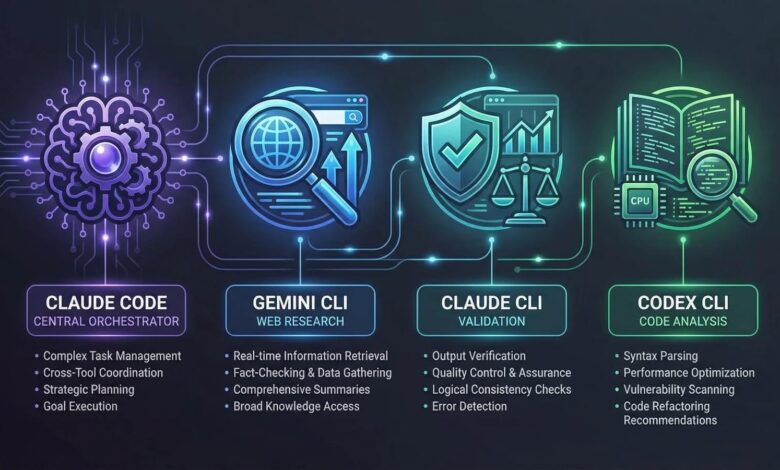
Claude Code stands out as one of the most advanced agentic coding tools available, bringing AI-driven development directly into the terminal. By default, however, it is tied exclusively to Anthropic’s model ecosystem. This creates friction for teams that want to experiment with alternatives like GPT-5, Gemini 2.5 Pro, Groq, or models deployed through AWS Bedrock and Azure. They must either juggle separate tools or repeatedly configure environment variables for each session.
Bifrost CLI removes this limitation. It provides an interactive terminal interface that connects Claude Code, along with other popular coding agents like Codex CLI, Gemini CLI, and Opencode, to the Bifrost AI Gateway. With a single command, developers can run Claude Code using any model from any provider. There is no need to manage environment variables, edit configuration files, or handle provider-specific setup.
Why Claude Code Benefits from an AI Gateway
Claude Code relies heavily on tool calling for tasks such as file manipulation, terminal execution, and code editing. Out of the box, all requests are sent directly to Anthropic’s API, which introduces several challenges at scale:
- Limited model choice: Switching to OpenAI, Google, Mistral, or self-hosted models requires manual reconfiguration for every session.
- No failover support: If Anthropic’s API encounters downtime or rate limits, workflows stop entirely with no automatic fallback.
- Lack of cost controls: Teams cannot enforce budgets, rate limits, or track usage across multiple developers without an intermediary layer.
- No unified observability: There is no centralized way to monitor usage patterns, errors, or token consumption across sessions.
Bifrost addresses these gaps by acting as a high-performance gateway between Claude Code and upstream providers, adding only 11 microseconds of overhead per request at 5,000 requests per second.
Setting Up Bifrost CLI in Minutes
To get started, you need Node.js 18 or higher, Claude Code installed and a running Bifrost gateway. The setup process is quick and fully guided.
Step 1: Start the Bifrost gateway
npx -y @maximhq/bifrost
This starts the gateway locally at http://localhost:8080, along with a web interface for provider configuration and real-time monitoring.
Step 2: Launch the CLI
npx -y @maximhq/bifrost-cli
The CLI walks you through an interactive setup:
- Base URL: Enter the gateway address, which defaults to http://localhost:8080.
- Virtual key (optional): If virtual key authentication is enabled, provide the key. It is securely stored in the OS keyring rather than in plaintext.
- Harness selection: Choose Claude Code. If it is not installed, the CLI can install it automatically via npm.
- Model selection: The CLI retrieves available models from the /v1/models endpoint and displays them in a searchable list. You can select any model from any configured provider.
After confirming, Claude Code launches with all API keys, environment variables, and provider configurations handled automatically. There is no need to manually set variables like ANTHROPIC_BASE_URL.
Using Claude Code with Non-Anthropic Models
Bifrost translates Anthropic-style API calls into formats compatible with other providers. This allows Claude Code to operate with models from 1000+ supported models. Models are referenced using a provider/model-name format:
- OpenAI: openai/gpt-5
- Google Gemini: gemini/gemini-2.5-pro
- Groq: groq/llama-3.3-70b-versatile
- Mistral: mistral/mistral-large-latest
- xAI: xai/grok-3
- Ollama (self-hosted): ollama/llama3
Claude Code internally uses three tiers: Sonnet for default tasks, Opus for complex reasoning, and Haiku for lightweight operations. With Bifrost, each tier can be configured independently to use different providers. For instance, a team might assign GPT-5 to Sonnet, Gemini 2.5 Pro to Opus, and a Groq-hosted model to Haiku.
You can also switch models during a session using the /model command:
/model openai/gpt-5
/model gemini/gemini-2.5-pro
/model bedrock/claude-sonnet-4-5
Keep in mind that any non-Anthropic model must support tool calling, since Claude Code depends on this capability for core functionality like file operations and terminal interactions.
Cloud Provider Passthrough
Bifrost CLI simplifies integration with cloud-hosted models by handling authentication and routing behind the scenes:
- AWS Bedrock: With Bedrock passthrough, Bifrost manages AWS credentials. Setting CLAUDE_CODE_SKIP_BEDROCK_AUTH=1 allows Bifrost to handle authentication and cross-region routing through its adaptive load balancer.
- Google Vertex AI: Bifrost manages OAuth and project configuration when using its Vertex endpoint.
- Azure: Since Claude Code does not natively support Azure passthrough, Bifrost routes requests through an Anthropic-compatible interface and translates them to Azure-hosted models.
For organizations with strict data requirements, Bifrost offers in-VPC deployment, ensuring all traffic remains within a private network.
Tabbed Sessions and MCP Integration
Bifrost CLI continues running after launching a session, providing a tabbed terminal interface. Developers can manage multiple sessions simultaneously, each with its own model configuration. Tabs display status indicators such as active, idle, or alert, and can be navigated with Ctrl+B.
For Claude Code, the CLI also automatically integrates with the MCP Gateway. This makes all configured MCP tools immediately available within the session without requiring manual setup commands. When virtual keys are used, authentication headers are applied automatically.
As a result, developers can interact with databases, file systems, web services, and custom tools directly from Claude Code, all managed through Bifrost.
Governance and Observability
As Claude Code adoption grows within teams, managing cost and usage becomes essential. Bifrost provides built-in controls and visibility:
- Virtual keys: Assign virtual keys to individuals or teams, with specific budgets, rate limits, and model access permissions.
- Budget controls: Enforce hierarchical limits across developers, teams, and organizations.
- Observability: Track every request with Prometheus metrics and OpenTelemetry tracing, providing insight into latency, token usage, error rates, and provider performance.
- Audit logging: Maintain compliance with immutable audit logs that record all activity.
Getting Started
Bifrost is open source on GitHub and can be set up with just two commands. For teams that require advanced capabilities such as governance controls, adaptive load balancing, SSO, and private deployments, you can book a Bifrost demo to evaluate how it fits into your infrastructure.